

A laptop power bank in the Philippines should meet key technical requirements. In 2026, the only reliable option is a USB-C Power Delivery (PD) power bank with at least 65W output. Anything lower is not designed for laptops and will result in slow charging or battery drain.
This guide explains what actually works, what to avoid, and what to buy based on real-world usage in the Philippines.
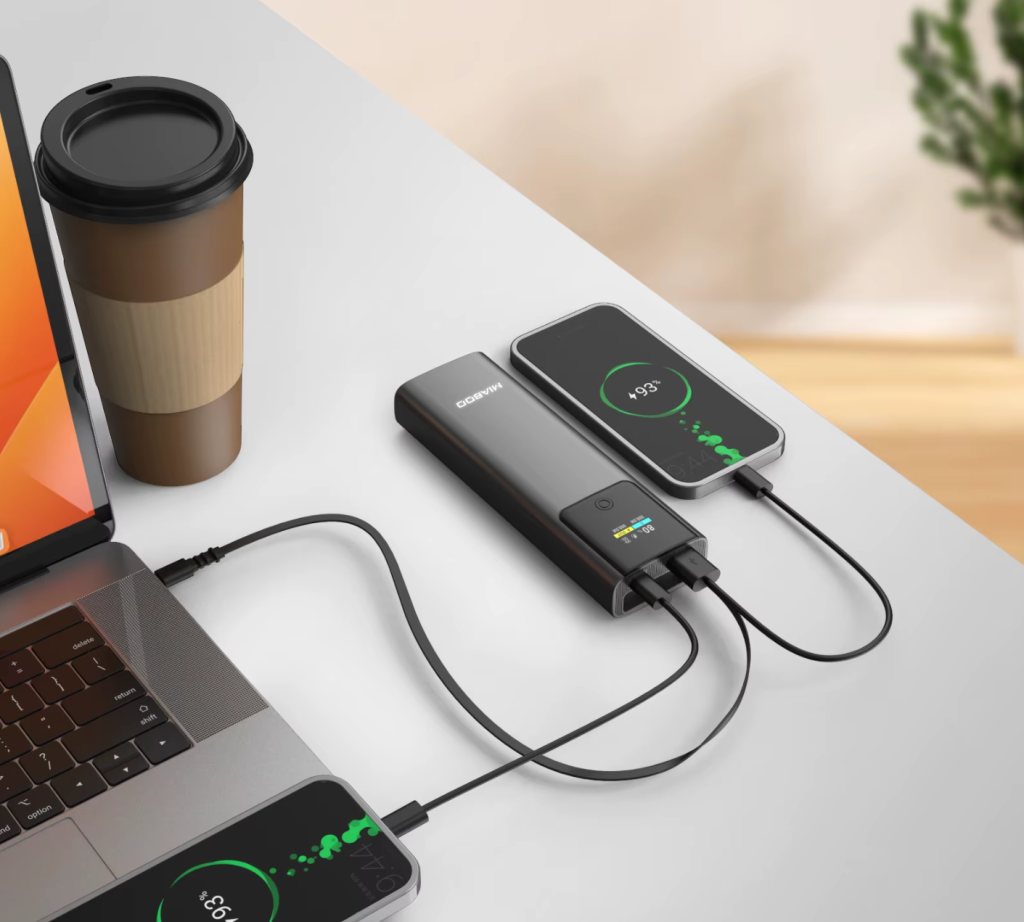
Can a Power Bank Charge a Laptop?
Yes, but only if your laptop supports USB-C charging and the power bank provides enough wattage.
From real testing:
- standard power banks → do not work
- USB-C PD power banks → work if 65W+
Minimum requirement:
- USB-C Power Delivery
- 65W output or higher
What Power Bank Works for a Laptop?
To reliably charge a laptop, your power bank must have:
- USB-C PD support
- 65W–100W output
- at least 20000mAh capacity
Quick guide:
- ultrabooks → 65W
- MacBook Air → 65W
- MacBook Pro → 65–100W
- gaming laptops → 100W+ (limited support)
Best Laptop Power Banks in the Philippines (2026)
| Model | Output | Capacity | Price (₱) | Sulit Score |
|---|---|---|---|---|
| Baseus Blade | 100W | 20000mAh | ₱3,500–5,000 | 10/10 |
| Ugreen 145W | 145W | 25000mAh | ₱4,500–6,500 | 9/10 |
| Anker 737 | 120W | 24000mAh | ₱6,000–8,000 | 8/10 |
| Xiaomi 50W | 50W | 20000mAh | ₱2,000–3,000 | 7/10 |
Available via Lazada Mall, Shopee Mall, and SM Cyberzone.
65W vs 100W: What You Actually Need
65W power banks:
- minimum working solution
- slower under load
100W power banks:
- faster and more stable
- better for multitasking
Conclusion:
65W works, but 100W is the safer long-term choice.
Gaming Laptop Reality Check
Gaming laptops (ROG, Legion, etc.) draw 150W–300W.
This means:
- power banks cannot run gaming sessions
- they only slow battery drain
- suitable for light tasks only
Real Charging Performance
From testing:
- 65W → stable but slower
- 100W → normal charging speed
- heavy usage → 65W struggles
Best use cases:
- meetings
- travel
- remote work
mAh vs Wh (Important for Travel and Safety)
Airlines use Watt-hours (Wh), not mAh.
Formula:
Wh = (mAh × 3.7V) / 1000
Example:
- 20000mAh ≈ 74Wh
This is safely below the 100Wh flight limit.
Real usable capacity:
Cr ≈ 60–70% of rated capacity
Where to Buy in the Philippines
Best options:
- Lazada Mall
- Shopee Mall
- SM Cyberzone
Tips:
- choose official stores
- check verified reviews
- avoid counterfeit products
2026 Flight Regulations Update (PAL & Cebu Pacific)
As of April 2026, security at NAIA and Clark strictly enforces ICAO and PAL safety rules:
- Quantity: maximum 2 power banks per passenger
- Location: carry-on only
- Stowage: not allowed in overhead bins
- must be kept in seat pocket or under seat
- Charging: charging the power bank during flight is prohibited
- Labeling: capacity (mAh or Wh) must be clearly visible
- Individual Packing: each power bank should be packed separately (for example in its own pouch or box) to prevent short circuits
If the label is missing or unreadable, the device may be confiscated.
Common Mistakes When Buying
- choosing low-wattage power banks
- ignoring USB-C PD requirement
- expecting full laptop charging
- buying fake or rebranded units
Who Should Buy a Laptop Power Bank
Best for:
- remote workers
- students
- travelers
- users affected by brownouts
When You Should NOT Buy One
Avoid if:
- you use gaming laptops heavily
- you expect full battery replacement
- you need long backup time
Final Verdict
Laptop power banks work in the Philippines, but only if you choose the right specifications.
To avoid problems:
- choose USB-C PD
- select at least 65W (preferably 100W)
- understand real limitations
For most users, a 100W power bank offers the best balance of performance, compatibility, and future-proofing.
FAQ
Can a power bank charge a laptop
Yes, if it supports USB-C PD and at least 65W
What is the best laptop power bank Philippines
Baseus, Ugreen, and Anker models are among the best
Is 20000mAh enough
Yes for partial charging, not full
Can I bring a laptop power bank on a plane
Yes, if below 100Wh and within airline limits
Does it charge via MagSafe or only USB-C
For laptops, always use USB-C Power Delivery. Wireless or MagSafe charging is not suitable for laptop power requirements

Hi! I focus on power banks, charging systems, and real-world performance — mostly trying to understand why specs don’t always match reality. I enjoy breaking things down in a simple way, even if I overthink them first. In my free time, I hang out with my cat, drink more coffee than I probably should and sometimes forget to charge my phone in time, that is why power banks are my best friends!
2 thoughts on “Laptop Power Bank Philippines 2026: Which Ones Actually Work?”